Open source · Fully local, no API keys · Or any AI provider
Long videos in.
Vertical clips out.
On your own hardware.
Reelsaw transcribes a video, asks a language model for the most clippable moments, then renders 9:16 clips with word-highlight captions and a hook overlay. Every model runs on your machine by default, with no API key. Or point each one at any vendor you like.
Installs the fully local stack: Ollama for the language model and Speaches for speech-to-text. Windows, hosted providers and from source.
How it works
Four stages, each one a resumable job
Every stage checkpoints its output in Postgres. Restart the box mid-render and it picks up where it stopped.
- 01
Ingest
Paste a YouTube link or upload a file. yt-dlp fetches it, ffprobe reads it, and the source is stored once so every later step can resume from it.
- 02
Transcribe and clean
Audio is transcribed in parallel chunks with word timestamps. Names are fixed from your vocabulary, fillers and false starts are cut with jump cuts, and every cut is checked by listening to the seam.
- 03
Pick the moments
Map, pool, rank: the transcript is chunked at long pauses, every standalone moment is collected, scored on hook, value, flow and shareability, and the top picks are compared head-to-head with positions swapped to cancel judge bias.
- 04
Reframe and render
A 1.2 MB face detector on the CPU picks a layout per segment: follow the speaker, stack two people, slides over a webcam, or fit the whole frame. ffmpeg burns in captions, hook, intro and outro in one encode.
- project.ingestIngestyt-dlp or upload, ffprobesource stored once
- project.transcribeTranscribeaudio → chunks, in parallelcheckpoint per chunk
- refine.*Refine, in parallelrefine.entities: names from your vocabularyrefine.disfluency: fillers → verified jump cutsrefine.scenes: scene cuts and face presence
- project.analyzePick momentsmap → pool → rankpairwise, judge model
- clip.render ×NRenderlayout, captions, hookintro, outro, one encode
See it
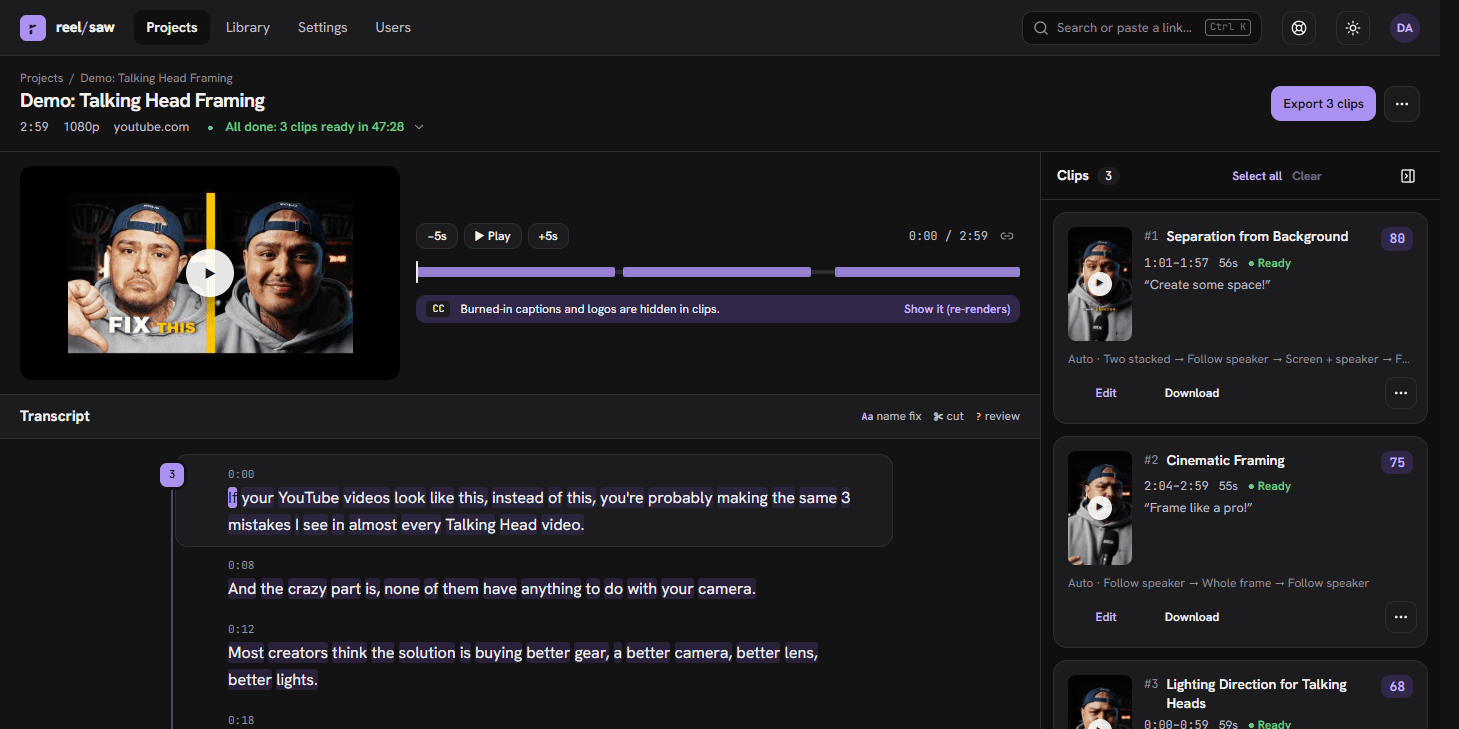
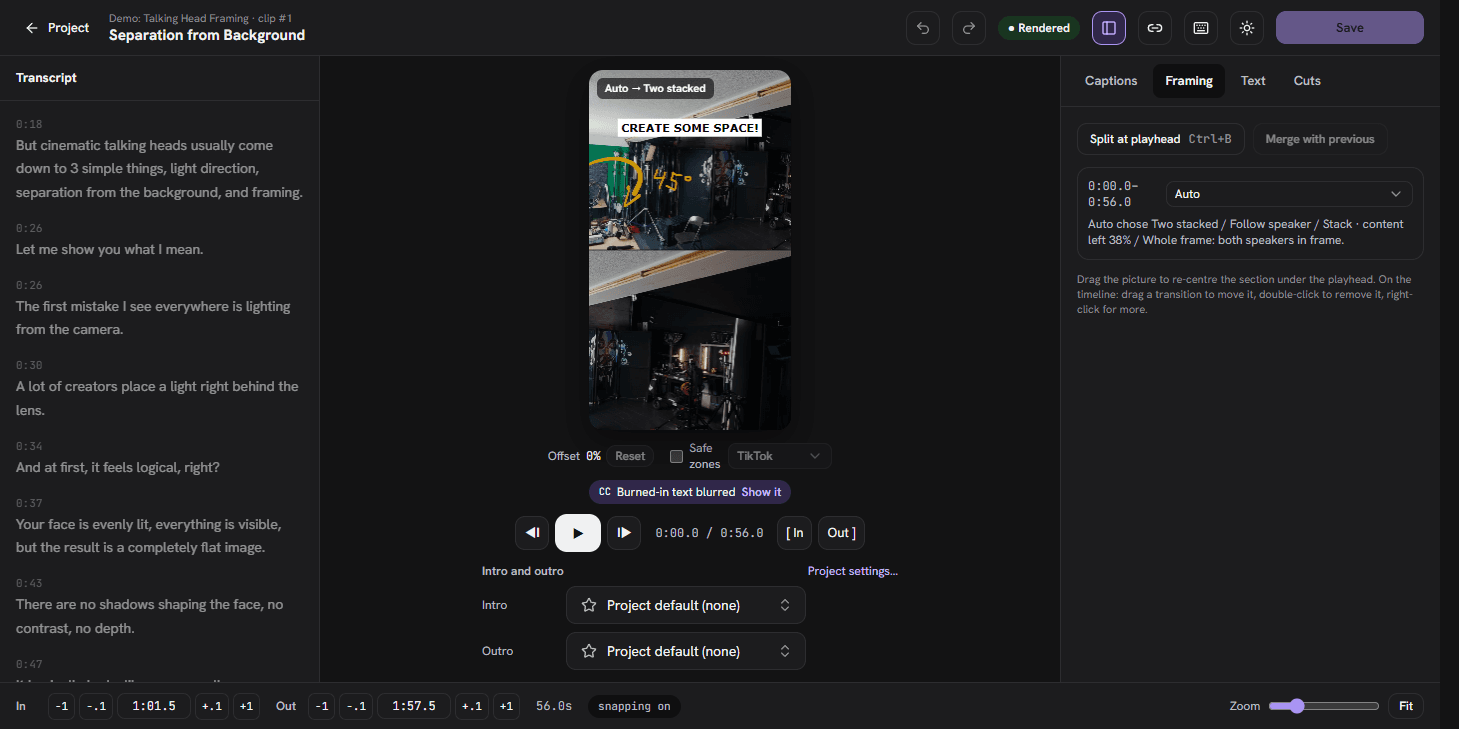
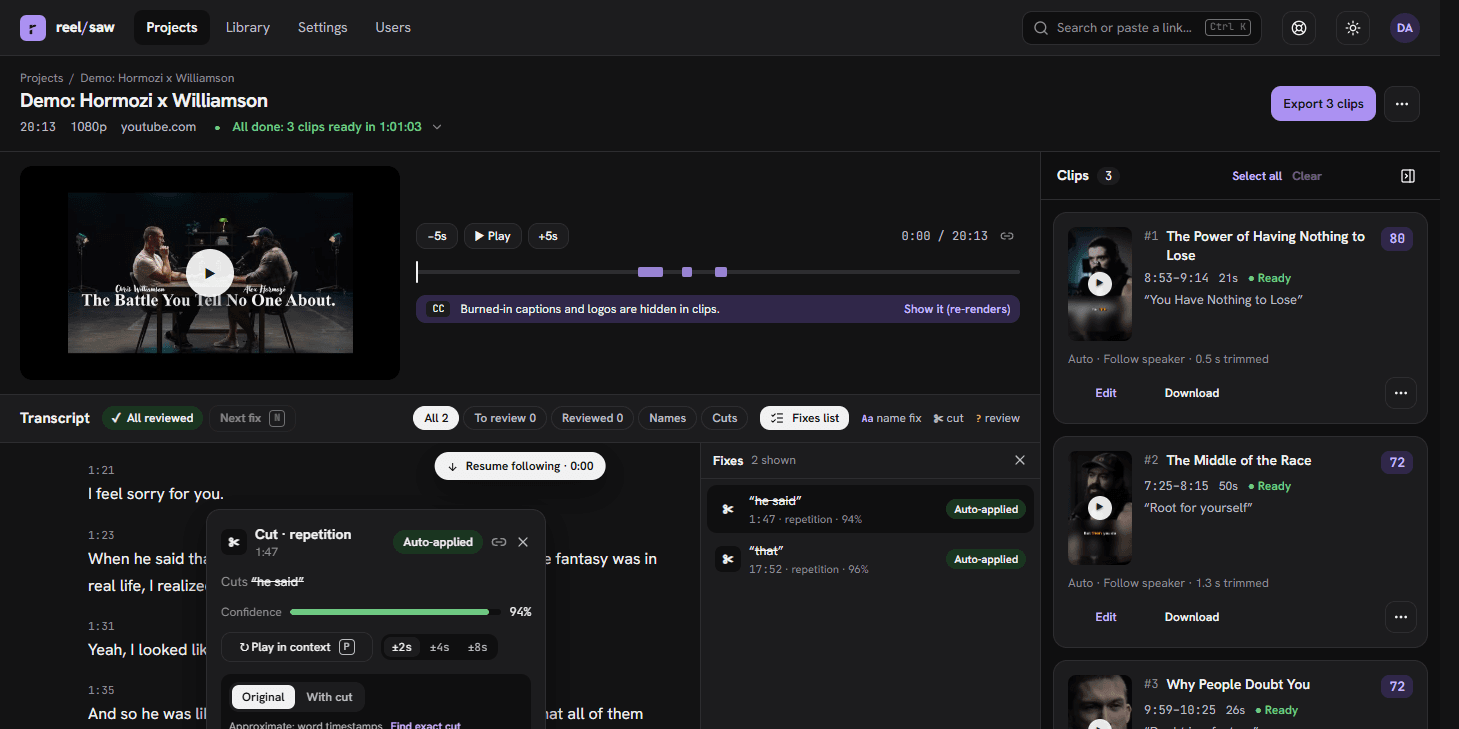
Reframing, captions and fixes you can inspect
Nothing is a black box. Every automatic decision is shown where you are looking, with a one-click override.
Features
Everything between the link and the upload
Built for people who publish every week and want their own pipeline, not a subscription.
Fully local by default. Any vendor by choice.
The installer sets up Ollama and a local Whisper, so nothing leaves the machine and no key is needed. Language, transcription and alignment models are each a provider:model string you can point at OpenAI, Anthropic, Google, Groq, Deepgram, AssemblyAI, Vercel AI Gateway, or any OpenAI-compatible server. No vendor is baked in; admins switch at runtime.
Research-backed clip selection
No fixed clip count. Weak picks are dropped relative to the run, the best clip is always kept, and a different judge model can score and compare so a model never grades its own hooks. Click a score for the rubric breakdown.
Clean transcripts, kept honest
Disfluencies are located by forced alignment so karaoke highlights land on the syllable. Each fix shows inline with accept and reject, long pauses can be shortened, and your decisions survive re-runs.
Smart 9:16 reframing
Face, split, stack and fit layouts chosen per segment, split at scene cuts and face changes. The crop follows whoever is talking with tripod-style smoothing. Override per project, per clip or per section.
Captions that read
AI-picked key words coloured and enlarged, readability limits on line length and time on screen, karaoke word highlight, boxed or outlined. Drag caption and hook positions on a live preview with platform safe zones.
A real editor
Live preview with the clip's framing and captions, a multi-lane timeline with zoom and snapping, frame-accurate trims, layout sections, transitions, undo and redo. Keyboard first, shortcuts listed under ?.
Intros, outros and export
A library of intro and outro videos or images with project and clip overrides. Export all as a zip with paste-ready text, YouTube Data API and TikTok post bodies, a manifest and a CSV per clip.
Accounts, approval and quotas
The first account is the admin. Open, approval or closed sign-up, per-user quotas, retention, captcha, email notices and usage per account. Admins switch models and providers at runtime without a restart.
Reliable, resumable, scalable
Every stage is a pg-boss job in Postgres that checkpoints its output. A crashed worker resumes where it left off, orphaned work is re-queued, and extra worker containers scale rendering. Local disk or any S3-compatible storage.
Agents and automation
MCP is the UI for agents
Everything a person can do in the app exists as a tool on the built-in MCP server (Model Context Protocol, Streamable HTTP). Claude Code, Claude Desktop, Cursor or a script can create projects, wait for them, read timed transcripts, edit and re-render clips, manage intros and outros and download the results. The operator CLI mirrors the same service code for people running the box.
- create_project
- wait_for_project
- get_transcript
- search_clips
- get_clip
- update_clip
- rerender_clip
- delete_clip
- restore_clip
- list_bumpers
- download
Create an API key under Settings → API keys and MCP, or set MCP_OAUTH=true so claude.ai and Claude Desktop sign in through the browser.
How it compares
Hosted clippers charge by the minute. Reelsaw charges nothing.
Opus Clip, Klap, Vizard, Submagic, 2short.ai and quso.ai meter clips, minutes or credits and watermark or expire their free tiers. The other open-source clipper still needs a Gemini key. Reelsaw is AGPL-3.0 software on your own machine, fully local or with any provider you choose: no plan, no cap, no watermark. Each comparison says what the other tool does better. Pricing checked 2026-10-18.
Install
One command, no source needed
Needs Docker with Compose and about 10 GB of disk. The script writes ~/reelsaw with a compose file and generated secrets, pulls the published image and a language model sized to your RAM, then waits until the app answers.
macOS, Linux, WSL2
On macOS install Ollama first. On Linux the script uses a host Ollama if present, otherwise runs it in a container.
Windows (PowerShell)
With Docker Desktop running. If script execution is blocked, download install.ps1 and run it with -ExecutionPolicy Bypass.
From source, or with hosted providers
Clone the repository, copy the example environment, set an auth secret and at least one AI provider key, and bring the stack up. Open http://localhost:3000; the first account becomes the admin.
Deployment guide: providers, S3, workers, reverse proxies